
Smartphones have replaced wallets, diaries, even office laptops. They wake us, guide our commutes, log workouts, hold client decks, and authenticate bank transfers. Attackers track that shift closely. Industry breach trackers show phone-led incidents overtaking laptop cases for the first time. The pattern is clear: compromise the device that never leaves its owner’s hand and you own their digital life.

The growing numbers
• 6.5 billion malicious mobile app installs flagged during 2024
• 34 percent rise in SIM-swap complaints filed with regulators
• One in twelve public Wi-Fi logins exposed to packet sniffing
• 72 percent of new phishing kits designed for phones first
These figures, expanded in our comprehensive mobile data breach guide, prove the threat curve is still climbing.

Three drivers behind the spike
Cloud sync by default
Photos, chat archives, passwords, even one-time login tokens live on vendor servers for convenience. When a single OAuth token leaks through phishing or a rogue app thieves can harvest an entire history without touching the handset again. The victim sees nothing odd on their phone and antivirus remains silent.
Work goes all-app
Teams on the road share contracts, medical records, or CAD drawings inside Slack, Teams, or Google Drive. A lost session cookie now spills critical data across an entire division, not just one laptop.
Cheap rogue networks
Tiny Wi-Fi boards that fit inside a power bank clone public hotspots and collect traffic for hours on battery power. They cost less than a pair of earbuds, making mass deployment easy near airports and conferences.
Main attack lanes
Man-in-the-middle Wi-Fi
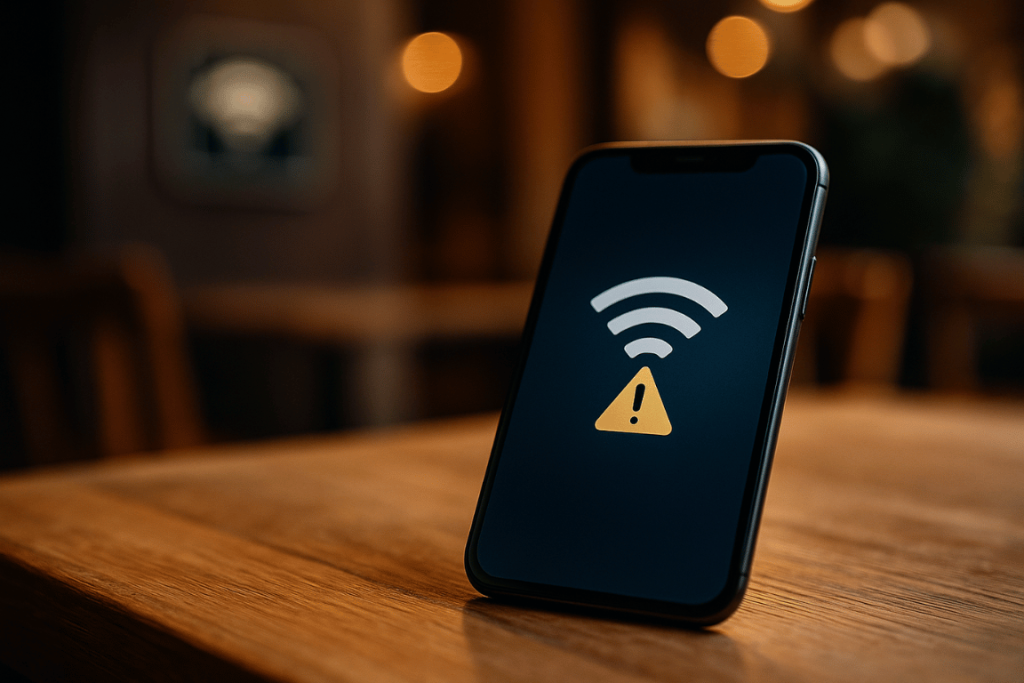
Your phone auto-reconnects to “CoffeeShop_Free.” A rogue access point with stronger signal snags the session first. Attackers try to downgrade weak sites to HTTP and steal cookies. Even if TLS holds, domain names, packet sizes, and timing reveal browsing habits that guide later scams.
Fast defence
Set your VPN to auto-start on untrusted networks. Keep the kill switch on so no packet leaks if the tunnel drops. Forget old SSIDs you no longer visit.
QR-code lures
Camera apps open URLs the moment a code enters the frame. Crooks paste counterfeit stickers on parking meters, event flyers, parcel lockers. One scan lands the victim on a fake payment page that mimics Apple Pay or Google Pay. The mobile address bar is tiny; few people inspect it.
Fast defence
Preview every link. Good QR-scanner apps show the domain before launch. Use a password manager that fills only on recognised URLs.
Push-notification traps
Ad networks sell cheap slots that look like system alerts. Banners slide down claiming “account locked verify now.” A single tap opens an in-app browser that harvests credentials then redirects to the real site so nothing seems wrong.
Fast defence
Limit notifications for banking and crypto apps to “silent.” When an alert asks for login, close the banner and open the official app manually.
Side-loaded spyware
Android APK mods and early iOS sideload portals promise premium features for free. Hidden modules read clipboards, screenshots, and accessibility events, then send the haul to servers parked in low-regulation zones. Battery impact stays low, so the victim assumes the app is harmless.
Fast defence
Disable “install unknown apps” on your daily driver. If you test mods, use a spare handset with no personal accounts.
SIM-swap fraud
Leaked personal data lets crooks impersonate a customer. They call the carrier, claim a lost phone, and migrate the number to a new eSIM. Suddenly every two-factor code lands in their pocket. Victims often misread the loss of signal as a coverage glitch and wait, giving thieves time to empty accounts.
Fast defence
Set a port-out PIN. Require in-store ID for any eSIM move. Switch two-factor codes to an authenticator app or hardware key.
Permission overreach: the silent leak
Most privacy loss starts with consent, not exploits. Weather widgets demand precise location every minute. Photo filters ask for microphone access. Free ringtone packs want contacts, call logs, and usage stats. Each extra permission feeds a data broker or ad network.
Quarterly audit routine
-
Open the permission manager and sort by sensor.
-
Revoke background location, SMS, and call logs for any app that does not truly need them.
-
Review special access panels Accessibility, usage access, install unknown Apps and cut back aggressively.
-
Reset advertising IDs and turn off personalised ads.
Layered habits that shrink the target
• Use a vetted VPN with no logs, WireGuard protocol, and encrypted DNS.
• Patch the operating system the day updates arrive; exploits target laggards.
• Enable authenticator apps or hardware keys. SMS works only as a backup.
• Encrypt local backups so cloud ransom threats hold no leverage.
• Teach family members the same moves privacy is communal.
Looking forward
Apple and Google both plan memory-safe kernels over the next few years. That change will close many buffer-overflow bugs but push criminals deeper into social engineering, QR phishing, and cloud token hijack. Breach fatigue is real, yet disciplined habits make any phone a hard target.
For a closer look at the hidden paths attackers follow once they gain a foothold, read our breakdown of the five vectors that steal data fast.
By tightening permissions, encrypting traffic, and refusing urgency tricks, you force attackers to work harder than your handset is worth. A few minutes each quarter beats days of recovery, proving that mobile security in 2025 is less about tools and more about routine.